Welcome to Your New Gym!
I have decided to publish this website as I go, as that is in the spirit of this as a “living book” anyway. Please forgive any unfinished areas. Please feel free to contact me with suggestions.
I’ll develop the general content for all instruments first, starting with the Bass Clef module, then the Treble Clef module, and finally adding some instrument-specific content.
Please check out the About Us page for more info.
This website is free to use once you register (the “Free Weights). Each exercise will also have a file you can play right from the browser. This notation player offers many tools to help you progress, especially the speed trainer. To access the player (the Machines), you will need a subscription, which I’m testing on a pay-what-you-want (PWYW) basis. Note: For now, the entire website is available for free. However, if you like the work I’m doing and find it useful, please support me with a one-time donation by clicking the “Buy Me a Coffee” button. The website and software alone cost about $150 a month, not to mention the time commitment.
Below is an example of what is offered here:
Try Our “Machines”!
- Look below the examples for some instructions/ideas on using the player.
Example in Treble Clef
Example in Bass Clef
For the playable examples, I’ve included two lines for the treble clef (one concert and one that transposes an octave lower than written), and three lines for the bass clef (Bass in concert, Contrabass in concert, and Contrabass that transposes an octave lower than written). Regardless, you can and should play in any octave that’s initially comfortable for you and later becomes a challenge, according to your instrument and abilities. This also trains your ear to hear octaves.
Experiment with the player’s controls. There’s more instruction for using the player on our About Us page.
The goal should be to play through without stopping, then increase speed. Try it with the speed trainer and set it to increase by small increments—2 beats or so per repeat. You can also use the Speed Trainer with the Loop function to isolate each scale.
Note to guitarists and electric bassists: Overall, reading notation is better for developing musicality; this is especially true of improvising. There is so much to learn and intuitively gain from finding the notes and figuring out fingerings that are robbed from you by reading tablature. Tablature is great for learning tunes. Keep using it for that. I will eventually share some fingering examples for guitar and bass guitar using tablature. That said, you can click the “More Settings” icon (the small bank of faders) on the player to unhide the guitar tablature. The tab may not always be optimized, however. I used Upright Bass for the Bass Clef, so it’s not available for Bass guitar.
Note to transposing instrumentalists: improvising requires you to transpose into the relative concert key. You’ll need to figure out what to play to match the playable examples to become an improviser who’s proficient at playing with others. If you’re not a subscriber, I strongly recommend playing the exercises in concert pitch. That said, if you are a classical player or interested in using these exercises more for facility and/or warm-up, you can transpose the audio using the player controls.
Learn all about using the Soundslice player: Soundslice Player Overview
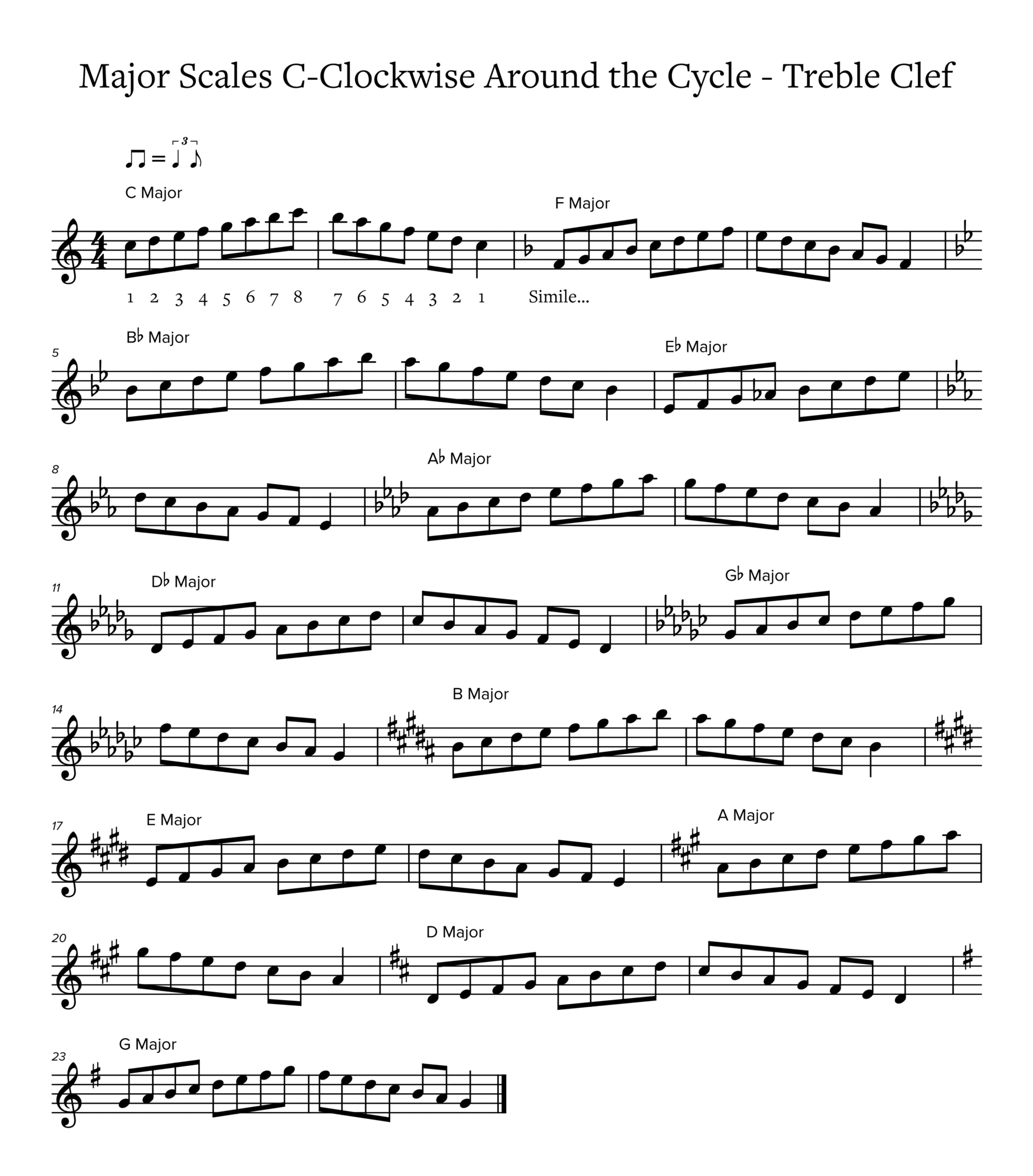
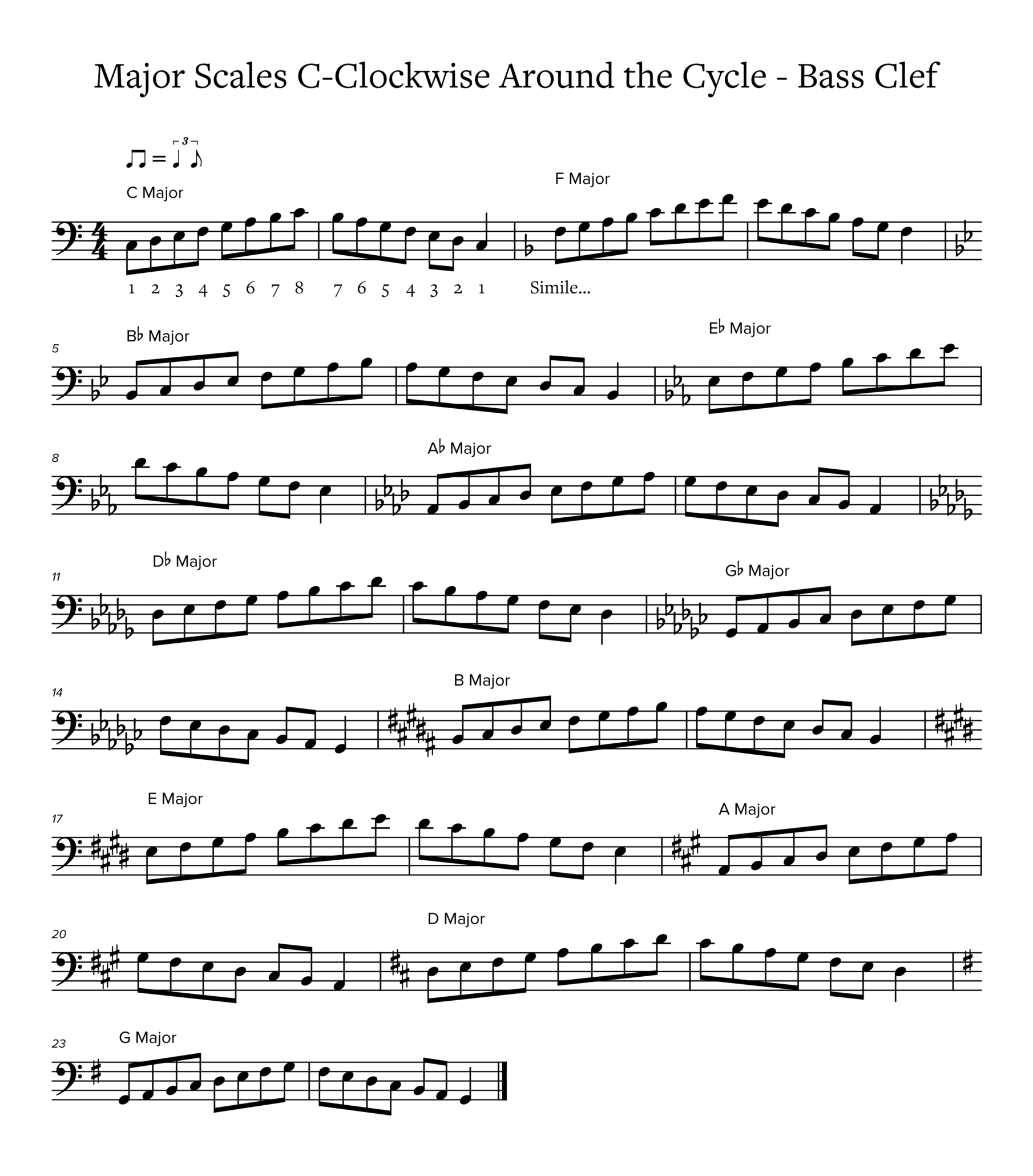
Try Our “Free Weights”!
- If viewing the “Free Weights” on a phone, try viewing in landscape mode for a larger, scrollable image.
- If viewing on a tablet, try portrait mode to view the full image.
Example in Treble Clef
Example in Bass Clef
Join 900+ subscribers
Stay in the loop with everything you need to know.